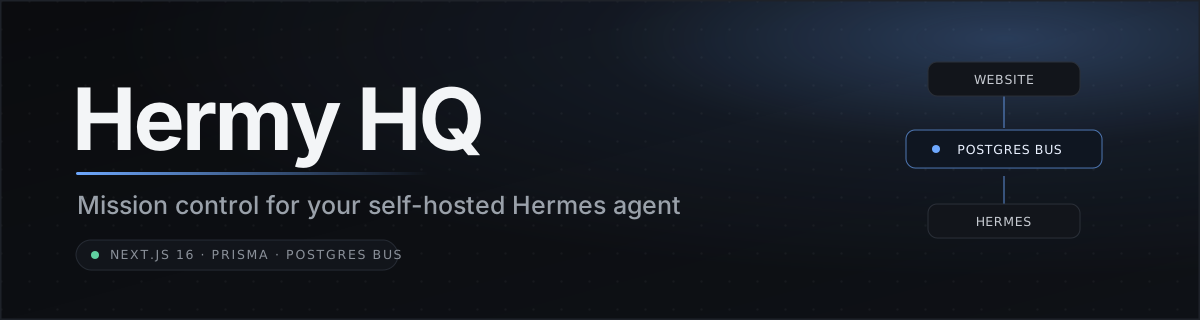
Hermy HQ is a self-hostable dashboard template that pairs with your own local
[Hermes agent](https://github.com/NousResearch/hermes-agent). The website is your
cockpit: dispatch work, review the agent's plans, approve anything with side effects,
browse its memory, and watch it run, all from one place. Your Hermes stays on your
own machine; the website and the agent talk to each other through a shared Postgres
database acting as a message bus.
It is a **template and starting point**, not a hosted product. You bring your own
database, your own Hermes, and your own API keys. Everything is configured through
environment variables.
---
> [!IMPORTANT]
> **🤖 If you are an AI agent reading this repository**
>
> The person who gave you this link wants you to **install Hermy HQ for them**. Do this:
>
> 1. **Clone** this repository to the machine you operate on.
> 2. **Open [`ONBOARDING.md`](./ONBOARDING.md)**, a complete step-by-step installer written for you.
> 3. **Follow it in order**, guiding your human through each step: prerequisites, `.env`, database, local run, Vercel deploy, and the bridge.
> 4. **Pause to ask them for every real secret** (API keys, database URL, OAuth credentials). **Never invent or guess credentials**, and keep every side-effecting action approval-gated.
>
> `ONBOARDING.md` is the full guided install. Start there.
---
## 🚀 Two ways to install
- **🤖 Let your agent do it (easiest).** Send this repo to your Hermes and paste the contents of [`ONBOARDING.md`](./ONBOARDING.md). It onboards you step by step, pausing for each secret.
- **🔧 By hand.** Follow the [Quick start](#quick-start) below.
---
## Features
**Cockpit**
- Dashboard home with an at-a-glance view of the agent, tasks, and the day
- ⌘K command palette to jump anywhere or fire an action
- Chief-of-Staff daily brief, generated on a schedule
**Hermes control hub** (`/hermes`)
- Dispatch one-shot prompts or kanban tasks to the agent
- Approval inbox — side-effecting requests wait here for your explicit go-ahead
- Live activity feed and run history
- Cron list and health mirrored from the agent
**Memory**
- Memory Wiki — browse and edit the agent's memory (facts, notes, links) as a wiki
**Work & content**
- Tasks and Ideas boards
- Content OS — an X / Twitter content pipeline (drafts, scoring, scheduling)
- Longform + YouTube script studios
- Client Pulse — a client-health tracking board (bring your own data ingestion)
- Agents roster, Garden, and Watchlist Radar
> Some features need your own API keys (YouTube, X/Twitter, OpenAI, etc.). They are
> all optional and configured via env — the core dashboard runs without them.
---
## Architecture
The deployed website never talks to your agent directly. Both sides read and write
the **same Postgres database**, which acts as a message bus. A small **bridge**
process runs on the machine where Hermes lives.
```
┌───────────────────────┐ ┌────────────────────────┐
│ Hermy HQ (website) │ │ Your machine / server │
│ Next.js on Vercel │ │ │
│ │ │ ┌───────────────┐ │
│ • dispatch requests │ │ │ hermes-bridge │ │
│ • approval inbox │ │ │ (bridge.mjs) │ │
│ • activity / runs │ │ └──────┬────────┘ │
│ • memory wiki │ │ │ hermes CLI │
└──────────┬────────────┘ │ ┌──────▼────────┐ │
│ │ │ Hermes │ │
│ │ │ agent │ │
│ │ └───────────────┘ │
│ └───────────┬────────────┘
│ │
▼ ▼
┌────────────────────────────────────────────────────────┐
│ Postgres (message bus) │
│ AgentRequest · AgentEvent · HermesTask · HermesMemory │
│ DataStore · Brief · … │
└────────────────────────────────────────────────────────┘
```
- **Website → agent:** the site inserts an `AgentRequest`. Safe requests are
`queued`; anything side-effecting is `awaiting_approval` until you approve it in
the inbox.
- **Bridge → agent:** the bridge polls Postgres, runs `queued`/`approved` requests
via the `hermes` CLI, and writes results back. It never runs `awaiting_approval`.
- **Agent → website:** the bridge mirrors the kanban board (`HermesTask`), cron +
health (`DataStore`), memory (`HermesMemory`), and activity (`AgentEvent`) back
into Postgres, where the website reads them.
Nothing on your machine is exposed to the internet — the bridge only needs outbound
access to Postgres and your local `hermes` CLI. See
[`hermes-bridge/README.md`](./hermes-bridge/README.md) for details.
---
## Tech stack
- **Framework:** Next.js 16 (App Router) + React 19
- **Styling:** Tailwind CSS v4
- **Data:** Prisma ORM + PostgreSQL
- **Auth:** NextAuth with Google login (email allowlist)
- **Charts / DnD:** Recharts, react-dnd
- **Deploy:** Vercel (website) + launchd/systemd (bridge)
- **Agent:** [Hermes](https://github.com/NousResearch/hermes-agent) `hermes` CLI
---
## Quick start
### Prerequisites
- **Node.js 20+** (22 recommended) and **git**
- A **PostgreSQL** database URL — e.g. [Neon](https://neon.tech),
[Prisma Postgres](https://www.prisma.io/postgres), [Supabase](https://supabase.com),
or Vercel Postgres
- A **Hermes agent** installed on a machine you control (the `hermes` CLI on PATH)
- **Google OAuth** credentials (Client ID + Secret) for login
- A **Vercel** account (or any Node host) for deploying the website
### 1. Clone and install
```sh
git clone